mac-ports
Time Crisis II for Mac
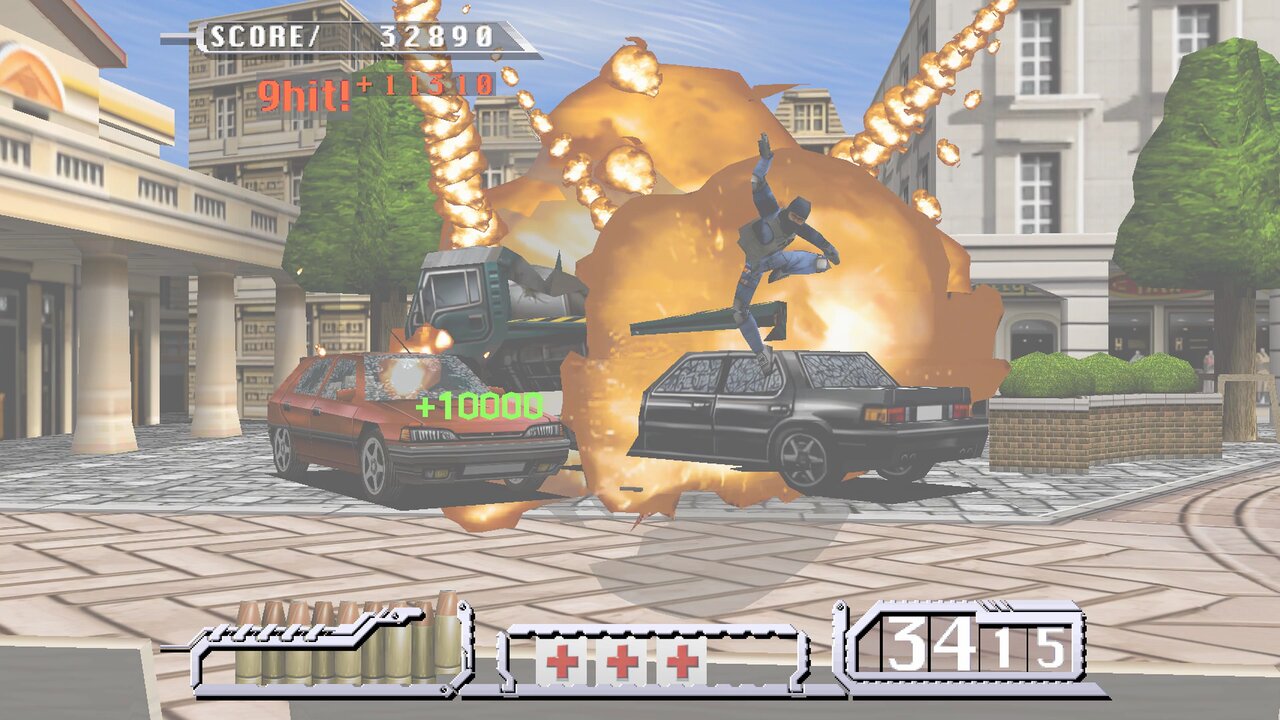
Namco’s 1997 light-gun arcade game, as a native app for Macs with Apple silicon.
| Download | ⬇️ Time-Crisis-II-for-Mac-1.0.dmg (10.3 MB, version 1.0) |
| Runs on | Macs with Apple silicon (M1 or newer), macOS 13 Ventura or newer |
| You need | Your own copy of the game: the MAME ROM set timecrs2.zip (and namco_tssio.zip, if your set has it) |
| Status | ✅ Playable |
Watch it
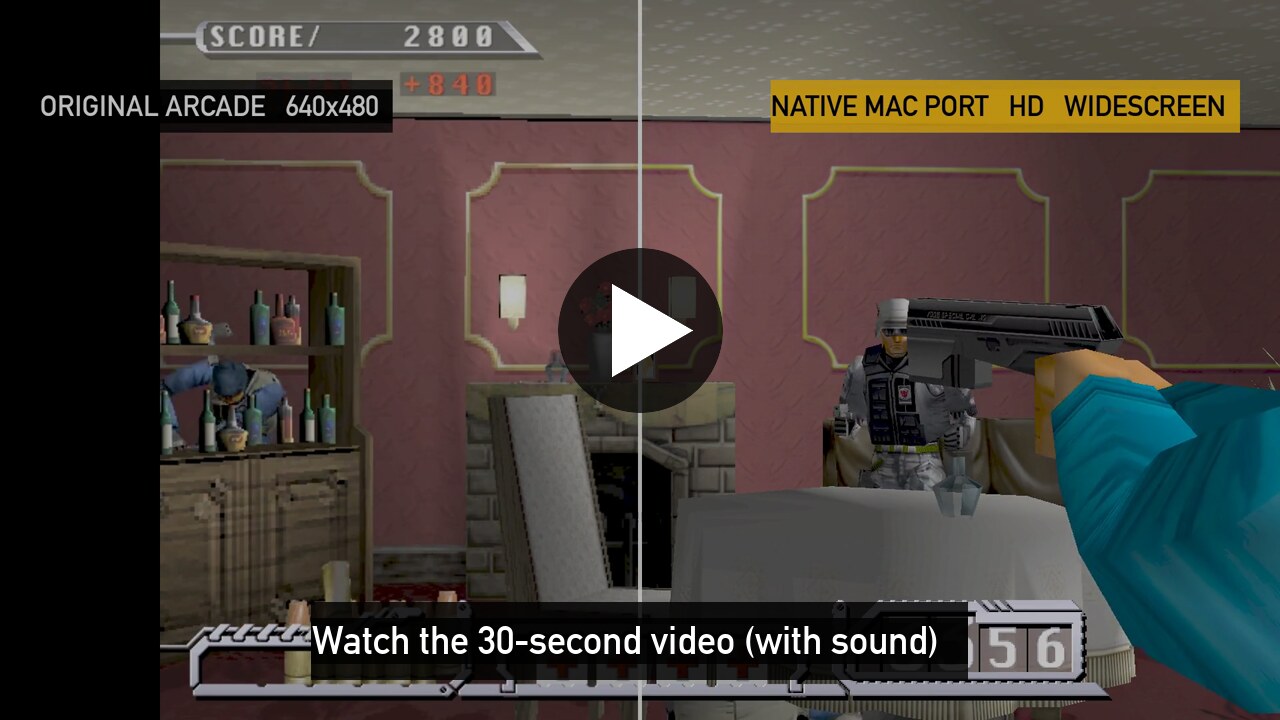
A real game recorded on a Mac, with the game’s own sound. The arcade original is on the left of the split screen, and the Mac version on the right.
What’s new on the Mac
- Native Apple silicon app, drawn with Metal. Nothing is emulated.
- Up to 120 frames per second
- Widescreen, sharp at your screen’s full resolution
- Mouse controls: the mouse is the gun, the right button is the pedal, and the tutorial says so
- Free play: no coins
- Save and load your game, in 8 slots
- A menu for display, sound and controls (press Esc)
Install in 5 steps
- Download the file above.
- Open it, and drag Time Crisis II onto the Applications folder.
- Double-click Time Crisis II in Applications. macOS says it was “Not Opened”. This is normal for apps that aren’t sold through Apple. Click Done.
- Allow it once: open the Apple menu › System Settings › Privacy & Security and scroll down to Security. Next to “Time Crisis II was blocked”, click Open Anyway, then Open Anyway again, and enter your Mac password or use Touch ID.
- Choose your ROM set: the game asks for its data. Click Choose File… and pick your
timecrs2.zip. If you also havenamco_tssio.zip, select both files. If your Mac asks whether the game may use files in your Downloads folder, click Allow.
From then on, just double-click the game.
How to play
| Mouse | Keyboard | |
|---|---|---|
| Aim | move the mouse | arrow keys |
| Shoot | left click | Space |
| Come out of cover / take cover | hold right click to come out and shoot; let go to hide and reload | hold Z |
| Start a game | right click | Z |
| Menu | Esc | Esc |
| Pause | P | |
| Fullscreen on / off | F11 |
Game controllers work too. You can change the controls in Esc › Controls.
If something goes wrong
- “The file you chose is not the right one”: open the game again, and choose the right
timecrs2.zip. - To report a problem: attach the file
~/Library/Logs/Time Crisis II/last-run.log. In Finder, choose Go › Go to Folder… and paste~/Library/Logs. - Your saves and settings are in
~/Library/Application Support/Time Crisis II, so replacing the app keeps them.
Credits and source
- Based on namco22-decompile, the open-source project that translated the arcade code.
- The Mac port is offered back to that project: spacestate1/namco22-decompile#99.
- Source of this release: gkaragioul/namco22-decompile, branch
mac-release-1.0. - Tested on an Apple M5 Pro with macOS 27.
Time Crisis is a trademark of Bandai Namco Entertainment. Unofficial fan project; no game data is included.